

What AdGuard Home does for you
- Block ads, trackers, phishing and malware domains at the DNS level, with no software to install on each device.
- Encrypt your DNS queries: AdGuard Home serves DNS-over-HTTPS, DNS-over-TLS and DNS-over-QUIC with no extra software.
- Protect devices that accept no blocker at all: smart TVs, speakers, IoT devices.
- Tune filtering per device, with your own lists and rules.
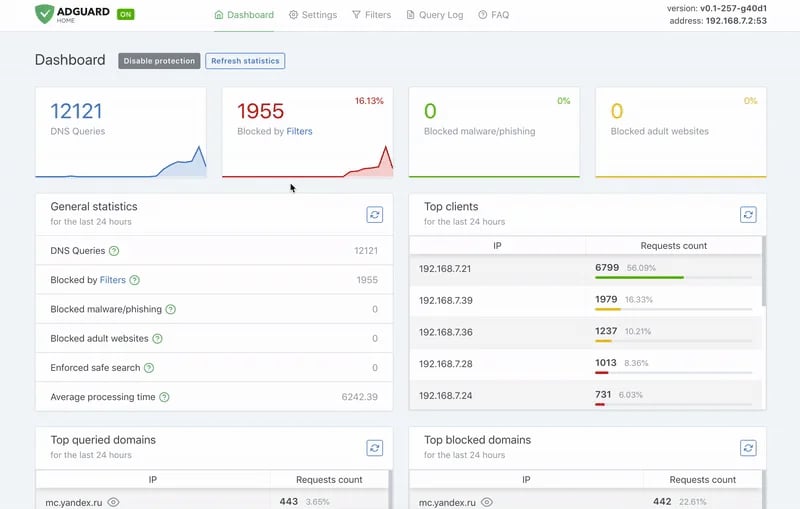
- Watch your network activity from the dashboard and the query log.
At a glance
Install AdGuard Home on your VPS
Prerequisites: a Linux VPS with Docker and its Compose plugin, and a domain name whose DNS zone you manage. In your domain’s zone, create twoA records pointing to the VPS IP address: dns.example.org and *.dns.example.org. The second one serves the client identifiers (ClientIDs) described below.
Create the service directory. The work and conf subdirectories keep data and configuration across updates:
docker run command. This compose.yaml file is a faithful transposition: same image, same volumes, same container ports. Only the useful ports are published, and plain DNS and the admin interface stay reachable from the VPS only:
On Ubuntu,
systemd-resolved already holds port 53. The AdGuard Home Docker documentation explains how to disable its DNSStubListener if the container does not start.First steps
-
Run the setup wizard. From your workstation, open an SSH tunnel to the VPS, then browse to
http://127.0.0.1:3000:The wizard asks for the listening interfaces and creates the admin account. Keep port3000for the web interface: it is the only one the tunnel reaches. -
Turn on encryption. Get a Let’s Encrypt certificate with Certbot and the DNS challenge the documentation recommends. When Certbot asks for the names, enter
dns.example.org *.dns.example.org:In Settings → Encryption settings, set the server name todns.example.org, then the paths/etc/letsencrypt/live/dns.example.org/fullchain.pemand/etc/letsencrypt/live/dns.example.org/privkey.pem. AdGuard Home reloads files given by path on its own when they change. -
Register your devices. In Settings → Client settings, add one client per device with a ClientID, for example
phone. The device then usestls://phone.dns.example.orgover DNS-over-TLS. On Android, enterphone.dns.example.orgin the “Private DNS” field.
Check that it works
From the VPS, query AdGuard Home for an ad domain. Thehost command comes with the bind9-host package:
phone client.
Secure access
A DNS resolver open to the whole Internet becomes a relay for DDoS amplification attacks. That is why thecompose.yaml above publishes port 53 on 127.0.0.1 only. Only the encrypted protocols, on port 853, are reachable from outside.
The admin interface is never exposed: it stays behind the SSH tunnel. The HTTPS port is not published either, because AdGuard Home serves the web interface and DNS-over-HTTPS on the same port.
Then restrict the service to your devices. In Settings → DNS settings → Access settings, list your ClientIDs under Allowed clients, as the documentation recommends for a public instance. Every other client is refused, including the host test run from the VPS.
Keep the per-client rate limit on: the documentation considers the default value sufficient in most cases.
Limits and alternatives
A DNS filter cannot block an ad served from the same domain as the content, such as YouTube ads or sponsored social media posts. Public DNS-over-HTTPS also needs a reverse proxy that forwards/dns-query only, with the trusted_proxies setting described in the encryption documentation.
Going further
- AdGuard Home official documentation: installation, Docker, encryption and running securely
- Install Docker on your VPS
- Firewall rules: filter inbound traffic from the console
- Hardening a Linux VPS: the other settings to apply right after install