> ## Documentation Index
> Fetch the complete documentation index at: https://blog.onetsolutions.net/llms.txt
> Use this file to discover all available pages before exploring further.
# Auditing and Hardening nginx on a VPS: The Routine That Beats the Next Advisory
> Know what you run, shrink what is exposed, and check it in one command. A practical routine for nginx, built around what actually gets exploited.
 *Published on August 12, 2026*
Two heap overflows landed in nginx's script engine within a few months of each other this year, and the second caught plenty of people who had already patched for the first. That is not a patching failure. It is an inventory failure: not knowing precisely what you run, where.
This is the routine that fixes that. It takes about twenty minutes the first time, and two minutes a month afterwards.
## 1. Know what you actually run
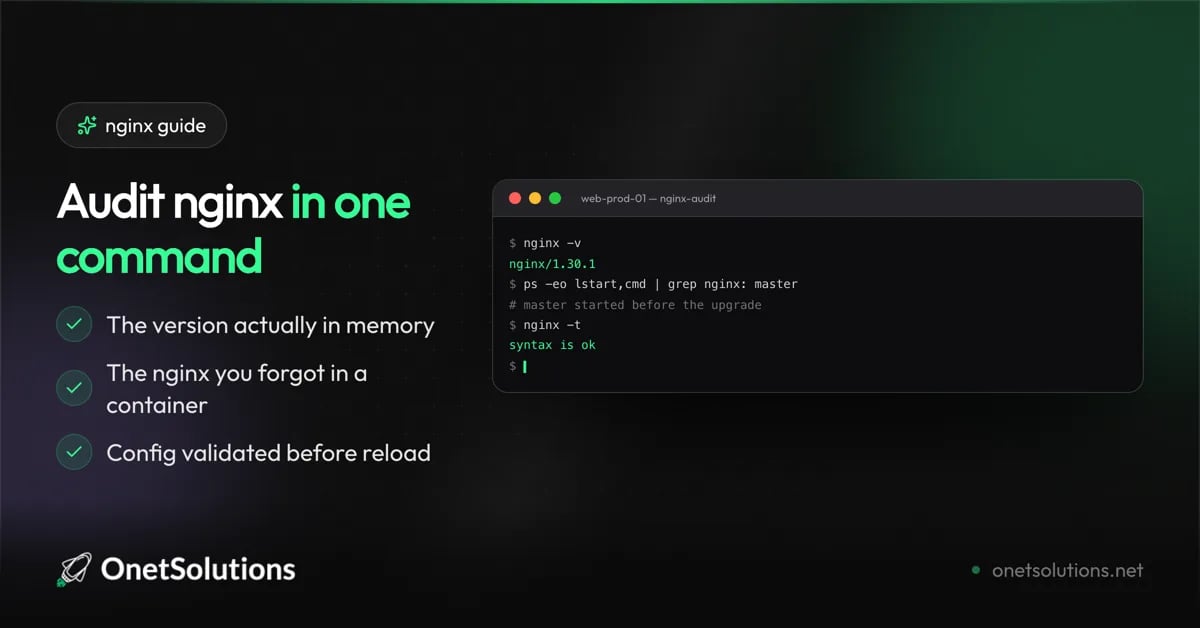
The single most useful fact, and the one most often wrong. Your package manager's opinion is not the same as the binary on disk, which is not the same as the code in memory.
```bash theme={null}
# The binary
nginx -v
# What the package manager believes
apt list --installed 2>/dev/null | grep nginx || rpm -q nginx
# What is actually running, and for how long
ps -eo pid,lstart,cmd | grep "[n]ginx: master"
```
If the third command shows a master process older than your last update, you installed a patch and never restarted. The old binary is still serving traffic. This is the most common gap between "patched" and "safe".
`nginx -s reload` does not replace the master process. After a package upgrade, use `systemctl restart nginx`. Reload is for configuration changes, not binary changes.
## 2. Inventory every nginx you forgot about
The nginx you patch is rarely the only one you run. Containers pin their own copies, and pinned tags never move on their own.
```bash theme={null}
# nginx inside running containers
docker ps --format '{{.Names}}' | while read -r c; do
v=$(docker exec "$c" nginx -v 2>&1 | grep -o 'nginx/[0-9.]*' || true)
[ -n "$v" ] && echo "$c: $v"
done
# Pinned tags in your compose files
grep -rn "image:.*nginx" --include="*.yml" --include="*.yaml" . 2>/dev/null
```
A pinned `nginx:1.30.1` is frozen until you rebuild. If your compose files pin exact patch versions, patching is a code change and belongs in your deployment routine, not your server routine.
## 3. Shrink what is exposed
Most nginx advisories affect a specific module or directive. The fewer of them you use, the fewer advisories are yours.
Start by seeing what your build even includes:
```bash theme={null}
# Full build configuration, including every module compiled in
nginx -V 2>&1 | tr ' ' '\n' | grep -E "^--with|^--without"
```
Then check what your configuration actually reaches for. The two heap overflows this year both lived in the script engine — `map`, `rewrite`, and regex captures:
```bash theme={null}
# Regex-based map blocks
grep -rn "^\s*map\s" /etc/nginx/ -A 3 | grep -E "~\*?\s"
# rewrite rules and regex captures
grep -rnE "^\s*rewrite\s|\\\$[1-9]" /etc/nginx/
```
This is not a reason to avoid `map` — it is a good directive. It is a reason to know whether an advisory naming it concerns you, in seconds rather than an afternoon.
## 4. Stop advertising your version
nginx returns its exact version in every response header and error page by default. That turns any scan into a targeted list.
```nginx theme={null}
# In the http block
server_tokens off;
```
This is not a security control — it does not fix a single bug. It is a cost control: it moves you out of the trivially-enumerable set, which is where mass exploitation shops for targets.
Confirm it took effect:
```bash theme={null}
curl -sI https://example.com | grep -i "^server:"
# expected: "Server: nginx" with no version
```
## 5. Set the headers that cost you nothing
Four headers, no downside for the vast majority of sites:
```nginx theme={null}
# In the server block
add_header X-Content-Type-Options "nosniff" always;
add_header X-Frame-Options "SAMEORIGIN" always;
add_header Referrer-Policy "strict-origin-when-cross-origin" always;
add_header Strict-Transport-Security "max-age=31536000; includeSubDomains" always;
```
`Strict-Transport-Security` is a commitment. Once a browser has seen it, it refuses plain HTTP for your domain for the full `max-age`. Only add it when HTTPS works everywhere on the domain, including subdomains, and start with a shorter `max-age` if you are unsure.
The `always` keyword matters: without it, the headers are dropped on error responses, which are exactly the ones an attacker sees most.
## 6. Put a ceiling on request size and rate
Defaults are generous because nginx cannot know your application. An upload endpoint that accepts 1 GB when your largest legitimate file is 5 MB is free ammunition.
```nginx theme={null}
# In the http block
client_max_body_size 10m;
client_body_timeout 12s;
client_header_timeout 12s;
# A modest rate limit zone, applied where it makes sense
limit_req_zone $binary_remote_addr zone=basic:10m rate=10r/s;
```
```nginx theme={null}
# In the location that needs it — a login endpoint, for instance
location /login {
limit_req zone=basic burst=20 nodelay;
}
```
Tune the numbers to your application rather than copying them. The point is that a number exists.
## 7. Verify, then make it routine
Never reload on an untested configuration:
```bash theme={null}
# Parse and validate without touching the running server
sudo nginx -t
# Only if that passed
sudo systemctl reload nginx
```
Then reduce the whole audit to one command you can run monthly:
```bash theme={null}
#!/usr/bin/env bash
# nginx-audit.sh — run monthly, or after any advisory
set -u
echo "== version =="
nginx -v 2>&1
echo "== master process uptime =="
ps -eo lstart,cmd | grep "[n]ginx: master" || echo "not running"
echo "== config validity =="
nginx -t 2>&1 | tail -2
echo "== version leak =="
grep -rq "server_tokens off" /etc/nginx/ && echo "server_tokens off" || echo "WARNING: version exposed"
echo "== containers =="
docker ps --format '{{.Names}}' 2>/dev/null | while read -r c; do
v=$(docker exec "$c" nginx -v 2>&1 | grep -o 'nginx/[0-9.]*' || true)
[ -n "$v" ] && echo "$c: $v"
done
```
```bash theme={null}
chmod +x nginx-audit.sh && ./nginx-audit.sh
```
## What this actually buys you
None of this prevents the next heap overflow in the script engine. Nothing you configure will.
What it buys is the ability to answer, in under a minute, the only question an advisory really asks: **is the version I am running inside the affected range, everywhere I run it?** Teams that can answer that patch in an afternoon. Teams that cannot spend a week finding out, and usually miss a container.
Two habits carry most of the weight: restart after a package upgrade, and treat pinned container tags as code that needs updating.
Related reading: our advisory on the [two nginx heap overflows](/en/nginx-map-regex-cve-2026-42533) and the [enhanced VPS security guide](/en/enhanced-vps-linux-security) for the layer underneath.
Questions about a server hosted with us? [Our team is available](https://help.onetsolutions.net/console/support) from your client area.
*Published on August 12, 2026*
Two heap overflows landed in nginx's script engine within a few months of each other this year, and the second caught plenty of people who had already patched for the first. That is not a patching failure. It is an inventory failure: not knowing precisely what you run, where.
This is the routine that fixes that. It takes about twenty minutes the first time, and two minutes a month afterwards.
## 1. Know what you actually run
The single most useful fact, and the one most often wrong. Your package manager's opinion is not the same as the binary on disk, which is not the same as the code in memory.
```bash theme={null}
# The binary
nginx -v
# What the package manager believes
apt list --installed 2>/dev/null | grep nginx || rpm -q nginx
# What is actually running, and for how long
ps -eo pid,lstart,cmd | grep "[n]ginx: master"
```
If the third command shows a master process older than your last update, you installed a patch and never restarted. The old binary is still serving traffic. This is the most common gap between "patched" and "safe".
`nginx -s reload` does not replace the master process. After a package upgrade, use `systemctl restart nginx`. Reload is for configuration changes, not binary changes.
## 2. Inventory every nginx you forgot about
The nginx you patch is rarely the only one you run. Containers pin their own copies, and pinned tags never move on their own.
```bash theme={null}
# nginx inside running containers
docker ps --format '{{.Names}}' | while read -r c; do
v=$(docker exec "$c" nginx -v 2>&1 | grep -o 'nginx/[0-9.]*' || true)
[ -n "$v" ] && echo "$c: $v"
done
# Pinned tags in your compose files
grep -rn "image:.*nginx" --include="*.yml" --include="*.yaml" . 2>/dev/null
```
A pinned `nginx:1.30.1` is frozen until you rebuild. If your compose files pin exact patch versions, patching is a code change and belongs in your deployment routine, not your server routine.
## 3. Shrink what is exposed
Most nginx advisories affect a specific module or directive. The fewer of them you use, the fewer advisories are yours.
Start by seeing what your build even includes:
```bash theme={null}
# Full build configuration, including every module compiled in
nginx -V 2>&1 | tr ' ' '\n' | grep -E "^--with|^--without"
```
Then check what your configuration actually reaches for. The two heap overflows this year both lived in the script engine — `map`, `rewrite`, and regex captures:
```bash theme={null}
# Regex-based map blocks
grep -rn "^\s*map\s" /etc/nginx/ -A 3 | grep -E "~\*?\s"
# rewrite rules and regex captures
grep -rnE "^\s*rewrite\s|\\\$[1-9]" /etc/nginx/
```
This is not a reason to avoid `map` — it is a good directive. It is a reason to know whether an advisory naming it concerns you, in seconds rather than an afternoon.
## 4. Stop advertising your version
nginx returns its exact version in every response header and error page by default. That turns any scan into a targeted list.
```nginx theme={null}
# In the http block
server_tokens off;
```
This is not a security control — it does not fix a single bug. It is a cost control: it moves you out of the trivially-enumerable set, which is where mass exploitation shops for targets.
Confirm it took effect:
```bash theme={null}
curl -sI https://example.com | grep -i "^server:"
# expected: "Server: nginx" with no version
```
## 5. Set the headers that cost you nothing
Four headers, no downside for the vast majority of sites:
```nginx theme={null}
# In the server block
add_header X-Content-Type-Options "nosniff" always;
add_header X-Frame-Options "SAMEORIGIN" always;
add_header Referrer-Policy "strict-origin-when-cross-origin" always;
add_header Strict-Transport-Security "max-age=31536000; includeSubDomains" always;
```
`Strict-Transport-Security` is a commitment. Once a browser has seen it, it refuses plain HTTP for your domain for the full `max-age`. Only add it when HTTPS works everywhere on the domain, including subdomains, and start with a shorter `max-age` if you are unsure.
The `always` keyword matters: without it, the headers are dropped on error responses, which are exactly the ones an attacker sees most.
## 6. Put a ceiling on request size and rate
Defaults are generous because nginx cannot know your application. An upload endpoint that accepts 1 GB when your largest legitimate file is 5 MB is free ammunition.
```nginx theme={null}
# In the http block
client_max_body_size 10m;
client_body_timeout 12s;
client_header_timeout 12s;
# A modest rate limit zone, applied where it makes sense
limit_req_zone $binary_remote_addr zone=basic:10m rate=10r/s;
```
```nginx theme={null}
# In the location that needs it — a login endpoint, for instance
location /login {
limit_req zone=basic burst=20 nodelay;
}
```
Tune the numbers to your application rather than copying them. The point is that a number exists.
## 7. Verify, then make it routine
Never reload on an untested configuration:
```bash theme={null}
# Parse and validate without touching the running server
sudo nginx -t
# Only if that passed
sudo systemctl reload nginx
```
Then reduce the whole audit to one command you can run monthly:
```bash theme={null}
#!/usr/bin/env bash
# nginx-audit.sh — run monthly, or after any advisory
set -u
echo "== version =="
nginx -v 2>&1
echo "== master process uptime =="
ps -eo lstart,cmd | grep "[n]ginx: master" || echo "not running"
echo "== config validity =="
nginx -t 2>&1 | tail -2
echo "== version leak =="
grep -rq "server_tokens off" /etc/nginx/ && echo "server_tokens off" || echo "WARNING: version exposed"
echo "== containers =="
docker ps --format '{{.Names}}' 2>/dev/null | while read -r c; do
v=$(docker exec "$c" nginx -v 2>&1 | grep -o 'nginx/[0-9.]*' || true)
[ -n "$v" ] && echo "$c: $v"
done
```
```bash theme={null}
chmod +x nginx-audit.sh && ./nginx-audit.sh
```
## What this actually buys you
None of this prevents the next heap overflow in the script engine. Nothing you configure will.
What it buys is the ability to answer, in under a minute, the only question an advisory really asks: **is the version I am running inside the affected range, everywhere I run it?** Teams that can answer that patch in an afternoon. Teams that cannot spend a week finding out, and usually miss a container.
Two habits carry most of the weight: restart after a package upgrade, and treat pinned container tags as code that needs updating.
Related reading: our advisory on the [two nginx heap overflows](/en/nginx-map-regex-cve-2026-42533) and the [enhanced VPS security guide](/en/enhanced-vps-linux-security) for the layer underneath.
Questions about a server hosted with us? [Our team is available](https://help.onetsolutions.net/console/support) from your client area.